If you are running a lab on registers and carbon-copy receipts right now, the switch probably feels like a project too large to start during a working week. There is never a quiet month, the staff are already busy, and the prospect of the system going wrong during a queue is enough to postpone the decision for another year.
Worth reframing, because the fear is about the wrong thing. Digitising a lab is not a single risky cutover on a Monday morning. It is a sequence of small, reversible steps, most of which happen before the software is even switched on, and every one of which you can stop and reconsider without having lost anything.
This is the sequence, in the order that works. We build a lab management system for Pakistani labs, so the specifics are ours, but the order of operations is not product-specific.
What Digitising Actually Covers
Set expectations precisely, because the word sounds bigger than the job.
Most paper labs keep four records: the patient register, the cash book, copies of issued reports, and the doctor referral notebook. Digitising means those four become one connected system — patient records with permanent numbers, invoices raised at registration, reports generated from entered results, and referrals tagged on the visit.
What it does not require:
- No new analysers. The bench is unchanged. Results are read off your existing instruments and typed in, exactly as they are read off them now.
- No server, and usually no new hardware. A browser-based system runs on the computers the lab already owns. If a quote requires a server or a new PC, that cost belongs in your comparison.
- No change to sample collection or bench work. Phlebotomy, processing and the actual testing stay exactly as they are.
What changes is where information lives, and how many times it gets written down. That is the whole project.
Step 1 — Clean the Test Menu and Rate List First
This is the step labs skip, and skipping it is the most common reason a rollout goes badly.
Before entering anything, go through your test menu with a senior technician or the pathologist — not the receptionist — and settle four things:
- Duplicate names. "RBS", "Random Blood Sugar" and "Blood Sugar (R)" must become one entry, or you will end up with three, with three prices and three sets of ranges.
- Outdated prices. Whatever is on the wall may not be what you actually charge.
- Tests you no longer perform, and tests you outsource — decide how each is handled before it becomes a question during a queue.
- Reference ranges per test, including where male and female ranges genuinely differ. Automatic flagging only works if the ranges going in are right, so this is a clinical task rather than a data-entry one.
The rule underneath all of it: digitising a mess produces a digital mess, and it is much harder to fix once every staff member has been trained on it. An afternoon of cleanup here saves months.
Step 2 — Choose the System Before the Hardware
Labs frequently do this backwards: buy a PC and a printer, then look for software that runs on them. Choose the software first, and the hardware question usually answers itself.
With a browser-based system the hardware decision reduces to: does this computer run a current browser? Almost anything from the last several years does.
What to verify in any candidate, live, on your own tests rather than on slides:
- Registration issuing permanent record numbers, with search fast enough that finding a returning patient beats re-registering them.
- Result entry against reference ranges with automatic flagging that survives onto print.
- Branded PDF reports on your own letterhead, laid out identically every time.
- Billing raised at registration, with discounts and dues recorded against the visit.
- Whether your own staff can add a test and change a price, or whether that goes through the vendor.
What features a modern lab management system should have has the full checklist to take into demos.
Step 3 — Decide What to Migrate
Not everything is worth carrying across, and trying to carry everything is how a two-week project becomes a six-month one.
Worth entering:
- Your test catalogue with prices and reference ranges — the real work of the project. Ours ships with around 880 common tests pre-loaded, so much of this is editing and re-pricing rather than typing from nothing.
- Your referring doctors, with share arrangements if you track commissions.
- Active patients — the regulars who visit monthly, not everyone who ever came.
Not worth entering:
- Years of historical result registers. Keep the paper archive, clearly labelled and stored. The effort of retyping old results almost never pays back, and the accuracy of retyped historical data is poor by nature.
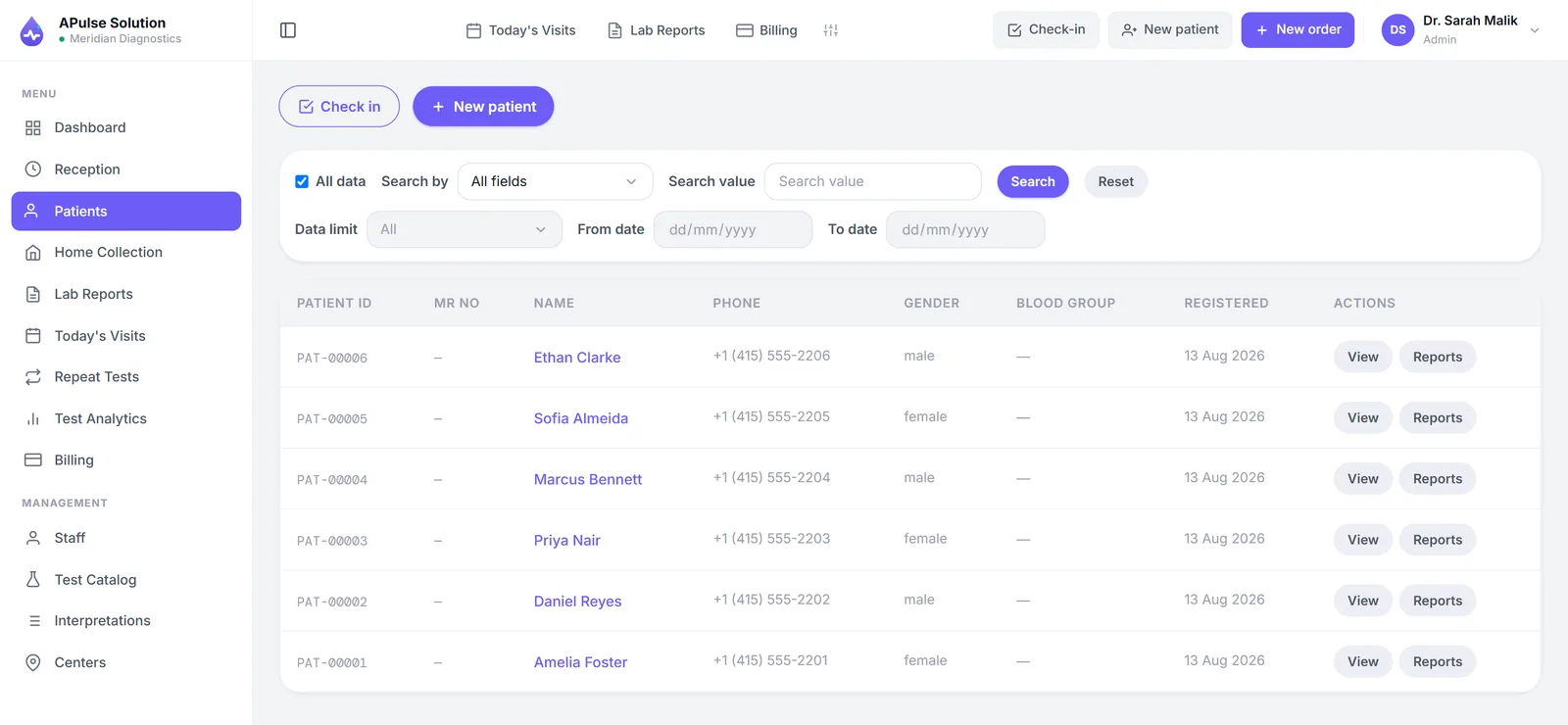
Every patient registered from go-live gets a permanent record number, so repeat visits stop creating duplicate identities from that day forward. The history you build going forward is the history that will actually get used.
On effort: the honest answer is that it depends almost entirely on the size of your test menu, and the sensible thing is to ask your vendor for their own onboarding estimate for a lab your size — and to ask whether they do it, you do it, or it is charged separately.
Step 4 — Run Paper and Digital in Parallel, Briefly
A short parallel run is the single best anxiety reducer in the whole project, and the reason is psychological as much as technical: staff will try the new system properly if they know the old one is still there.
What to compare each evening:
- The cash total in the drawer against the system's billing total.
- The day's result copies against what was entered.
Differences in the first week are normal and are almost always setup issues — a price that was not updated, a test entered twice. That is exactly what the parallel run is for.
And set the end date before you start. Two weeks, three, whatever suits your volume — but decided in advance and announced. An open-ended parallel run does not end. Staff keep both going indefinitely, you get the work of two systems and the benefits of neither, and the register quietly wins.
Step 5 — Train by Role, Not All at Once
Training everyone in everything produces staff who half-know the whole system. Train each role in its own slice, properly:
- Reception: registration, search before registering, billing at registration, discounts and dues. Train this role first — it is the front door, and if registration is wrong everything downstream inherits it.
- Technician: result entry against ranges, reading the flags, the approval step before release.
- Owner or manager: the day's figures, referral records, report verification, and how to check a branch or a date range.
And name the support channel explicitly before go-live, so nobody is stuck mid-queue wondering who to ask. Ours is WhatsApp and email, seven days a week.
Step 6 — Change How Reports Leave the Lab
This is the step patients notice, and it is worth doing deliberately rather than letting it happen.
Reports become branded PDFs generated from the entered results, shared with the patient — most commonly on WhatsApp, to the number captured at registration. Patients stop returning purely to collect paper, which decongests the counter for people who are actually there to be registered.
Being accurate about the mechanics: there is no patient portal to log into, but patients do serve themselves — the billing slip carries a QR code that opens their own report online for 30 days, on every plan, and staff can send the PDF as well. With the lab's own WhatsApp Business or SMS gateway account connected, the link can go out automatically on approval. Keep printing for patients who want paper — the printed copy and the PDF are the same document. How to send lab reports on WhatsApp covers the procedure and the privacy rules.
Common Pitfalls When Going Paperless
Digitising the mess. Covered above, and worth repeating because it is the big one. Bad rate list in, bad invoices out.
One "computer person" becoming a bottleneck. If a single staff member is the only one who can operate the system, the lab is one resignation or one sick day from being back on paper. Cross-train from the start.
Abandoning it after the first busy morning. There will be a morning when the queue is long and the temptation to fall back to the register is strong. This is why the catalogue must be complete before go-live, why reception is trained first, and why the support channel is agreed in advance. Almost every failed rollout can be traced to one bad morning that nobody had prepared for.
Treating go-live as a date rather than a process. The steps above are deliberately reversible. Take them one at a time.
If you would like to see what your registers look like as a working system, bring your rate list to a free demo — 7 days, up to 10 patients, and it opens in the browser you are reading this in.
Frequently Asked Questions
How long does it take to digitize a small laboratory? The software starts immediately; the preparation is the project. Cleaning and entering the test menu with prices and reference ranges is the main task and scales with menu size, and a short parallel run follows. Ask any vendor for their onboarding estimate for a lab your size, and who does the data entry.
Do I need to enter all my old patient records? No. Enter active patients, the rate list and your referring doctors. Keep years of historical result registers as a labelled paper archive — retyping them rarely pays back and the retyped data is unreliable.
Will I need new computers or a server? Usually not for browser-based software: if the machine runs a current browser, it works. Installed desktop software sometimes brings hardware requirements, which belong in the cost comparison.
What if staff resist the change? Train by role rather than all at once, start with reception, and run in parallel with the registers for a short fixed period so nobody feels the safety net has been removed. Most resistance is fear of being stuck in front of a queue, which preparation addresses directly.
Can we go back to paper if it does not work? During the parallel run, yes — that is what it is for. Which is the argument for a genuine parallel period rather than a hard cutover on a Monday morning.
What changes for patients? Reports arrive on their phone instead of requiring a second trip, reprints take seconds, and their history is available on their next visit. From their side the visible change is the report and the wait, not the software.