Lab Management System
A complete platform for managing day-to-day medical laboratory operations, patients, reports, billing, and more — one record carries the patient from the reception desk to a verified report.
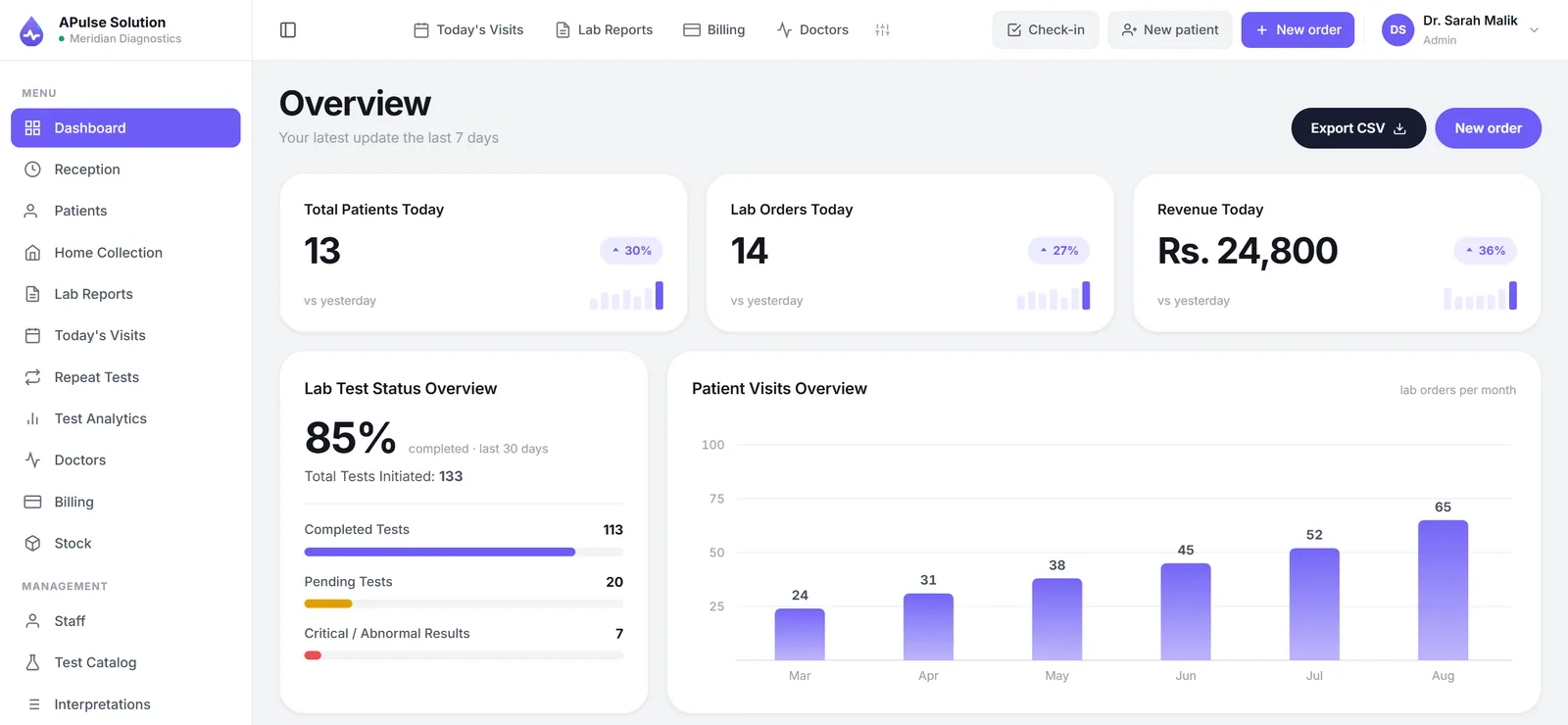
What is a lab management system?
A lab management system is the software a laboratory runs on: it registers patients, books their tests, records the results, prints the reports and keeps the money straight — all against one record. Most labs assemble this from parts instead: a register at reception, an Excel sheet for accounts, a Word template for reports. Each part works; the gaps between them are where results get delayed, discounts go unrecorded and the same patient is typed in three times.
A Pulse Solution is lab management software that closes those gaps by making every step write to the same record. This page walks the system end to end; for the detail of how it runs a working day — queues, worksheets, stock — see the laboratory management system in daily operation, or browse the full feature list.
One patient's journey through the system
At the front desk
Reception enters the patient once. APulse generates the MRN, books the requested tests from your own catalog — your categories, your prices — and raises the invoice in the same flow. A discount, if given, recalculates the total on the record, not in someone's head. Walk-ins join today's visit queue, so it is always clear who is waiting and why.
On the bench
The technician works from a printable worksheet and enters results against pre-set, gender-specific reference ranges. Anything outside range is flagged automatically, and qualitative tests use dropdown values, so a result reads the same whoever entered it.
The report
The finished report is a branded PDF under your lab's own name, logo and colors — previewed, printed or downloaded in a detailed or short view, and shared however your lab prefers. The billing slip carries a QR code the patient scans to open their own report online, so many never need to come back for it.
The money
Because the invoice was raised at registration, nothing was forgotten in between. The day's takings land in the daily revenue summary, and on Medium and Premium plans the analytics dashboard shows how weeks and months are trending.
Who A Pulse Solution is built for
Pathology labs, diagnostic centres, collection centres and hospital laboratories — from a single-room lab where one person plays receptionist and technician, to a network running up to 5 branches and collection centres from one account on the Premium plan (more on request). The clinical side — reference ranges, abnormal flags, previous-result comparison — is covered in depth on the medical lab software page. APulse is quoted in PKR for its home market — labs there have a page of their own — and is available to laboratories worldwide, with USD pricing on request.
Cloud-based, nothing to install
Installed laboratory software ties the lab to one machine: a licence on one PC, a server in a back room, an upgrade nobody dares run. A Pulse Solution runs in the browser on any computer, tablet or phone — there is nothing to install, no server to buy, and no single machine that takes the whole lab down when it fails. Data lives in the cloud, in a database schema isolated to your lab alone, over encrypted connections, with encrypted backups kept on a rolling window of roughly thirty days. Access is role-based — admin, reception, technician, doctor — so the cashier does not read results and the technician does not edit invoices.
Getting started
Create a free demo and the system is yours to test: your own workspace, every feature unlocked, up to 10 patients for 7 days, no card. If the lab currently lives in registers or Excel, our team migrates the records at a small one-time cost on any plan, and your demo data carries over when you upgrade. Plans are quoted for your lab, monthly or yearly — ask for a quote — and support runs 7 days a week on WhatsApp, in English and Urdu.
Register your first demo patient — it takes a few minutes and no card — or see plans and pricing first.
Frequently Asked Questions
What is a lab management system?
It is the software a laboratory runs on — it registers patients, books their tests, records the results, prints the reports and tracks the billing, all against one record. In A Pulse Solution that whole journey happens in the browser: reception raises the invoice at registration, technicians enter results against reference ranges, and the finished report prints on your own letterhead.
What does A Pulse Solution include?
Every plan covers patient registration with auto-generated MRNs, lab orders and result entry with automatic abnormal flagging, branded PDF reports, billing with discounts, a daily revenue summary, the letterhead designer, previous-result comparison and staff roles. Medium and Premium plans add home collection booking, credit clients, stock and inventory, the full analytics dashboard and doctor commission tracking; Premium adds multi-branch management and per-doctor test prices.
Is cloud-based better than installed lab software?
Installed software lives on one PC or server that you must license, maintain and back up yourself — and when that machine fails, the lab stops. APulse runs in the browser on any computer, tablet or phone: nothing to install, updates arrive automatically, and your data is stored in the cloud with encrypted backups on a rolling window of roughly 30 days. That said, some labs have a connection that is genuinely unreliable, so we also ship an offline edition — the same software installed on the lab’s own Windows PC, with the weekly USB backup left to the lab — and since October 2026 that PC can be connected to the lab’s cloud account, so it works through every outage and syncs whenever the internet is back.
How much does a lab management system cost?
We quote each lab individually, because the price depends on your report volume, staff accounts and branches. Message us on WhatsApp or use the quote form with your daily patient count and we'll send the price in writing, for monthly or yearly billing. The free 7-day demo, with every feature unlocked, needs no card. As a guide to the plans: Basic covers one lab with 3 staff accounts and 300 reports a month, Medium covers up to 2,000 reports a month, and Premium is for multi-branch networks with unlimited reports.
Can we move from registers and Excel to APulse?
Yes. Our team imports your existing Excel sheets or database — a small one-time cost on any plan. Start with the free demo first: everything you enter there carries over to your paid plan, so nothing is typed twice.
Further reading
Background reading on how this software category works — written to inform, not to sell.
Ready to Get Started?
Create your free demo lab in seconds — every feature, 10 patients, no credit card. Or ask us for a quote and we'll set everything up for you.