Generate Branded, Verified Lab Test Reports
Results entered once against reference ranges, abnormal values flagged automatically, and a verified PDF on your own letterhead — detailed or short view, ready to print or share.
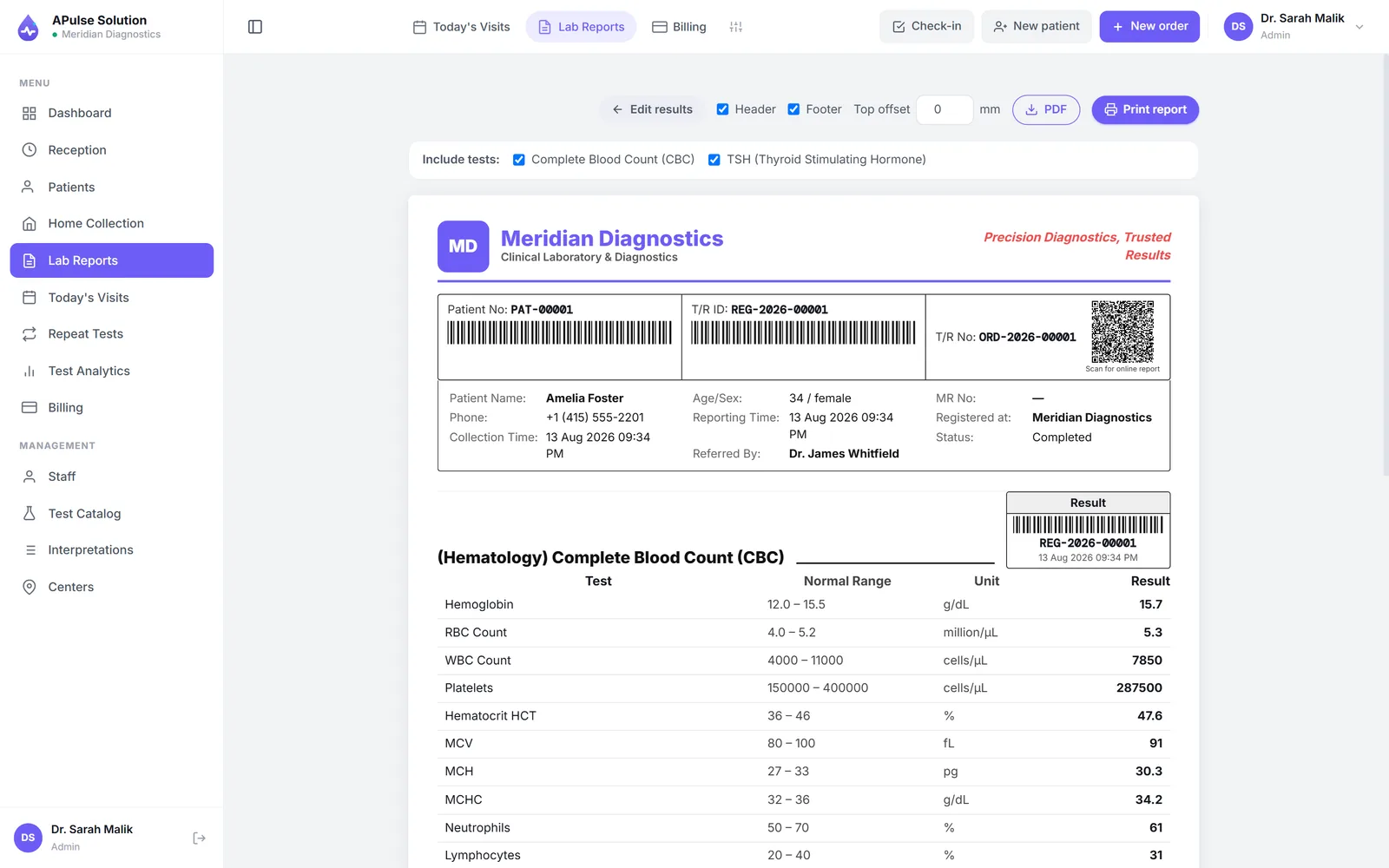
The report is your lab's product
Patients judge a lab by the paper it hands back. A report typed in Word looks like a report typed in Word — inconsistent layouts, missing flags, and no way to prove who verified it. Worse, re-typing analyzer values by hand is where transcription errors are born.
From result entry to delivered report
Entry against reference ranges
Technicians enter values against pre-set, gender-specific reference ranges. Abnormal results are flagged automatically the moment they're typed — High, Low, Normal — and the flag carries through to the printed report.
Dropdowns for qualitative tests
Qualitative results come from dropdown options rather than free text, so "Positive" is always written the same way, on every report, by every technician.
Verify, then deliver
Preview the finished report before it leaves the lab, then print or download the PDF. Choose the detailed view or the short view depending on the test and the audience.
Your letterhead, your brand
Every report carries your lab's name, logo, colors and address — APulse stays behind the scenes. On Medium and Premium plans, the letterhead and report layout designer gives you control over the exact layout.
Trends, not just today's number
Previous-result comparison reports (Premium plan) show a patient's history next to today's values — the difference between "your sugar is 180" and "your sugar has climbed for three months."
Worksheets for the bench
Print technician worksheets or export to CSV, with customizable columns per test, so bench work and system records never drift apart.
Automated WhatsApp and SMS report delivery is coming soon — today, reports are delivered as printed or downloaded PDFs you can share through any channel.
Part of a complete workflow
Reports are the last step of a chain that starts at patient registration and runs through billing — one system, one record, no re-typing. Pathology-specific detail lives on the pathology lab software page.
Print your first branded demo report — free demo, every feature, 10 patients, no card.
Frequently Asked Questions
What do the reports look like?
Reports carry your lab's name, logo, colors and address, in a detailed or short view. On Medium and Premium plans, the letterhead and report layout designer gives you control over the exact layout.
How does result entry work?
Technicians enter values against pre-set, gender-specific reference ranges — or pick from dropdown options for qualitative tests. Abnormal results are flagged automatically.
Can I compare a result with the patient’s previous ones?
Yes — previous-result comparison reports are included on the Premium plan, so trends are visible at a glance.
How do patients receive their reports?
Preview, print, or download the PDF and share it however you like. Automated WhatsApp and SMS delivery on the Premium plan is coming soon.
Can a patient get their report without coming back to the lab?
Yes, on every plan. The billing slip you hand over carries a QR code; the patient scans it with their phone camera and their own report opens online, ready to read or download. There is no account, no password and nothing to install, and the link works for 30 days. Scanned before the report is released it says payment pending, with the balance owed, or that the tests are still in process. This is a cloud-edition feature: the offline edition has no online report link, so its patients receive the printed report or the PDF.
Is there a worksheet for the bench?
Yes — a printable technician worksheet (also exportable to CSV) with customizable columns per test.
Further reading
Background reading on how this software category works — written to inform, not to sell.
Ready to Get Started?
Create your free demo lab in seconds — every feature, 10 patients, no credit card. Or ask us for a quote and we'll set everything up for you.