Hospital Laboratory Management Software
Run the hospital's lab on software built for the lab — a visit queue that absorbs the morning rush, roles for a large team, and verified reports on the hospital's own letterhead.
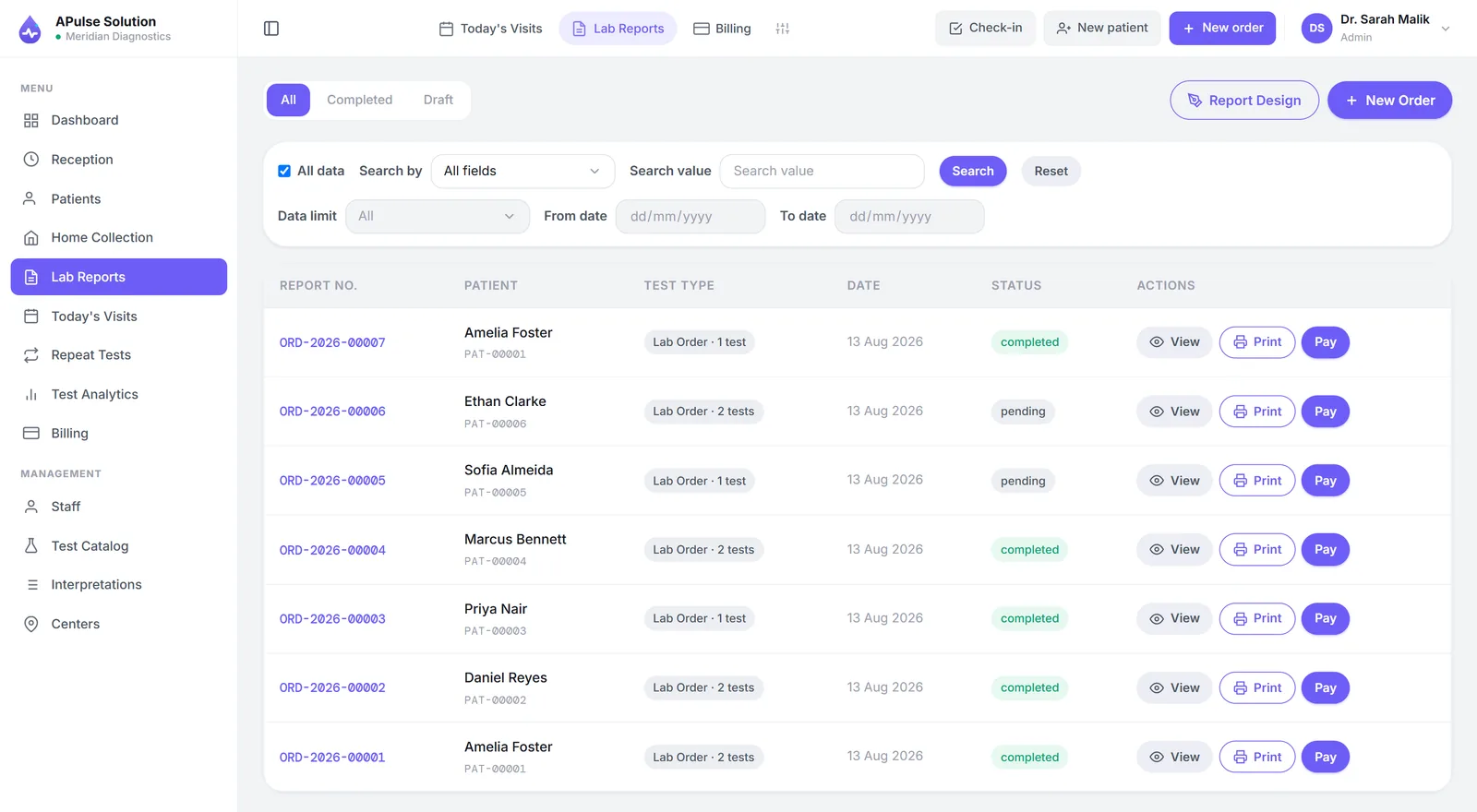
Software for the hospital's laboratory, specifically
A Pulse Solution is built for the laboratory department of a hospital — not for the hospital as a whole. Admissions, wards and pharmacy stay where they are; the lab gets a system of its own for patient registration, test orders, result entry, verified reports and departmental billing. In practice it works as the department's own laboratory information system — the layer the HMS's lab module was supposed to be, and so rarely is.
Because APulse runs in the browser on any computer, tablet or phone, there is nothing to install on hospital machines and no server for the IT office to own. The department can adopt a complete lab management system without raising a single infrastructure request.
Volume, roles and the daily queue
A queue that absorbs the morning rush
Hospital labs do not receive patients one at a time; they receive a corridor of them at eight in the morning. Walk-ins check in at registration and land in today's visit queue, so reception knows who is waiting and the bench knows which samples are due. The printable technician worksheet — customizable columns, exportable to CSV — turns that queue into an orderly bench list.
Roles for a large team
Reception registers and bills, technicians enter results, doctors review, and admin sees everything — four roles out of the box, with per-user permission overrides on Medium and Premium plans for the jobs that never quite fit a template. On Premium, staff accounts go up to 25, with more on request — which matters in a department that runs shifts.
The department, at a glance
The dashboard shows today's patients, pending results and daily revenue without anyone walking the corridor to ask. On Medium and Premium plans, the analytics dashboard adds revenue trends and test status over time — the numbers a department head is asked for at every monthly meeting, ready before the meeting is called.
Multiple sites, one system
Many hospital laboratories are really several: a main lab, an emergency collection point, an outpatient block across the road, sometimes a sister hospital in another town. On the Premium plan, every patient, order and invoice is tagged to its branch, and the whole network is run from one account — multi-branch management covers the mechanics in detail. Wherever a report is produced, it looks the same: the hospital's name, logo and colors on every page. The billing slip carries a QR code, so a patient can open their own report online without coming back to a counter.
Blood bank
On the Premium plan the blood bank runs in the same system, from the donor to the bedside: donor eligibility checked on the day, bags by component with their own expiry, every bag in quarantine until its screening is recorded non-reactive, and a crossmatch that refuses an incompatible, expired or unscreened bag whatever is clicked. Emergency issue needs a clinical reason, and transfusion reactions are recorded against the bag.
Working alongside your existing HMS
The first question hospital labs ask deserves a straight answer. A Pulse Solution has a public API and signed webhooks for an HMS, HIS or EMR, switched on for your account on request, on any plan: the hospital's system can read patients and released results, and place orders and register patients through the same checks as the front desk. It is the lab's half of the link — someone on the hospital's side has to build theirs. Analyser interfacing is switched on the same way, on request and on any plan — your instruments post results into the lab over ASTM E1394 or HL7 v2, with any later change to what the machine reported flagged and a reason required — though connecting each physical machine is a site-specific part of setup and depends on the analyser. Without it switched on, results are typed in by the technician and validated against pre-set, gender-specific reference ranges, with abnormal values flagged automatically. Without the API it runs standalone, alongside whatever the hospital already uses. Many hospital laboratories choose exactly this arrangement, because the lab module bundled with an HMS is often its weakest part — and a standalone system produces presentable, verifiable reports instead of whatever the HMS happens to print.
The department's data stays its own: each lab gets an isolated database schema, connections are encrypted with TLS, and backups are encrypted on a rolling window — the details are on the security page. If your records currently live in Excel or an older system, migration is an optional service at a small one-time cost on any plan; contact us and we will look at your files before you commit to anything.
- Premium raises the limits to 25 staff and 5 branches and collection centres (more on request), quoted on the size of the hospital — see the plans or ask for a quote
- Nothing to install — browser-based on any hospital computer or tablet
- Reports on the hospital's own letterhead, in detailed or short view
- Role-based access for admin, reception, technicians and doctors
- Free demo with every feature unlocked — 10 patients, 7 days, no card
Open a free demo workspace and run one morning's samples through it — or browse the full feature list first.
Frequently Asked Questions
Does A Pulse Solution integrate with our hospital's HMS or EMR?
Yes, on request: a public API and signed webhooks, which our team switches on for your account on any plan, let your HMS or EMR read patients and released results, and place orders and register patients through the same checks as the front desk. Someone on the hospital's side has to build their half of the link. Without it, APulse runs standalone alongside your HMS, which many hospital laboratories prefer anyway.
How many staff accounts can our department have?
The Basic plan includes 3 staff accounts, Medium up to 10, and the Premium plan includes up to 25, with more on request — which matters in a department that runs shifts. Every account has a role (admin, reception, technician or doctor), and Medium and Premium plans add per-user permission overrides.
We operate across several hospital sites — can one account cover them all?
Yes. The Premium plan supports up to 5 branches and collection centres (more on request), with patients, orders and invoices tagged to their site and the whole network managed from one account. A collection point in the outpatient block and a sister hospital across town both fit the same model.
Can we control who sees what?
Yes. Access is role-based — reception handles registration and billing, technicians enter results, doctors review, and admin sees everything. On Medium and Premium plans, per-user permission overrides adjust access for anyone whose job does not fit a standard role.
Can you migrate our existing patient records?
Yes. Our team imports your existing Excel sheets or database — a small one-time cost on any plan — so the department starts with its history intact rather than an empty system.
Further reading
Background reading on how this software category works — written to inform, not to sell.
Ready to Get Started?
Create your free demo lab in seconds — every feature, 10 patients, no credit card. Or ask us for a quote and we'll set everything up for you.