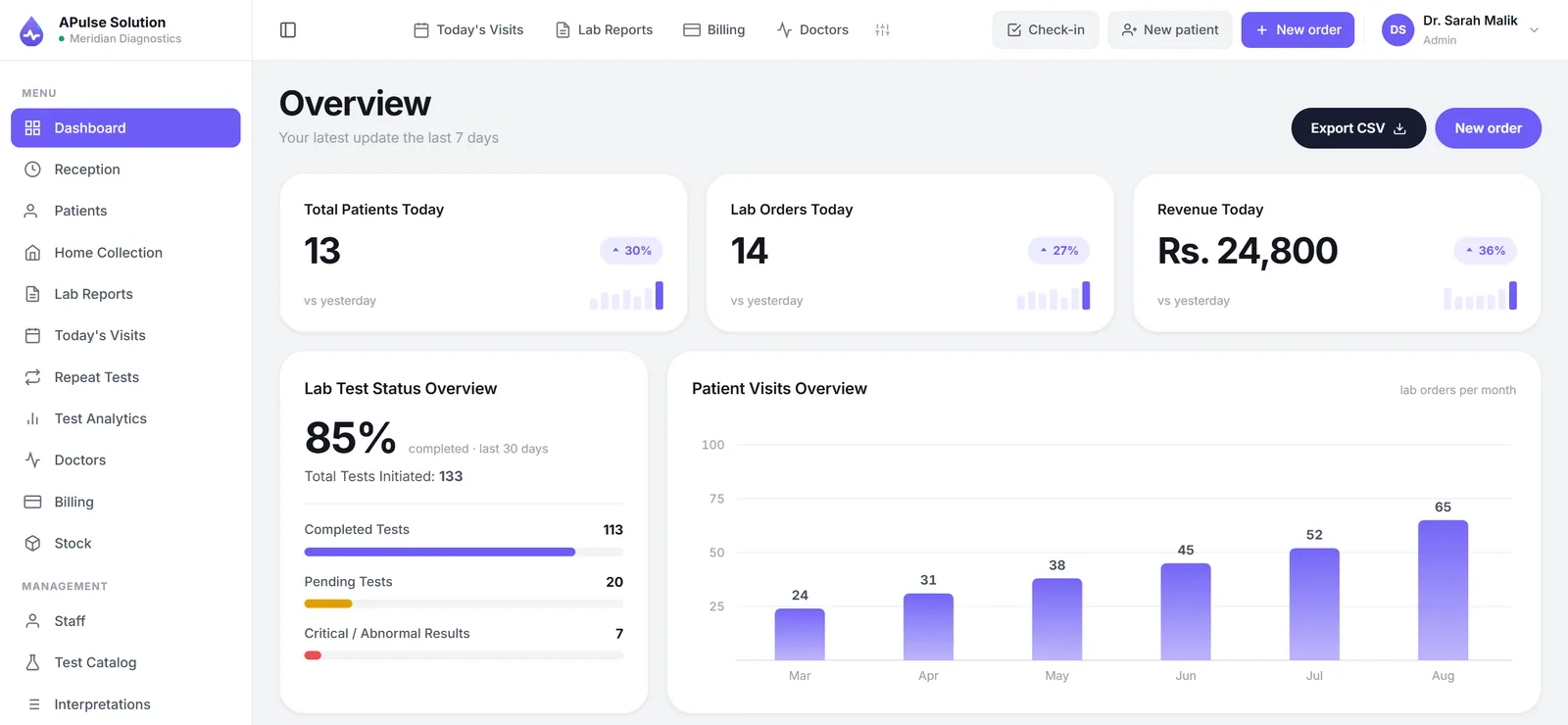
Say "automation" to a lab owner and most picture the same thing: a track carrying tubes past robotic arms, analysers wired into a central system, a room that costs more than the building it sits in. Then they conclude, reasonably, that automation is for hospital networks and go back to their registers.
For a small or mid-sized laboratory, automation means something much humbler and far more affordable: the same patient's details stop being written by hand four times a day. That is it. And that unglamorous change is where nearly all of the recoverable time in a small lab actually sits — not at the bench, but in the paperwork between the sample and the report.
This guide covers workflow automation, which is what software does. We build A Pulse Solution, so the product references are ours; the sequence would be much the same with any competent system.
Two Different Things Called Automation
Worth separating clearly, because vendors use one word for both and the price difference is enormous.
Hardware automation is analysers interfaced to software, sample tracks, robotic handling. It removes the transcription step by capturing results directly from instruments. It is real and it is valuable at high throughput, and it is a different class of purchase — large hospital and reference-lab territory.
Workflow automation is software handling the information: registration, billing, the worklist, reference-range checking, report generation, day-end totals. It needs no new hardware beyond a computer and a browser.
This guide is about the second, because that is where a small lab gets almost all of its benefit per rupee. And to be straight about the boundary: in A Pulse Solution, result values are typed in by the technician unless analyser interfacing has been switched on for your account — which we do on request, on any plan, and which still needs the machine connected as part of setup, in a way that depends on the analyser. At small-lab volume manual entry is a normal and workable arrangement, and what you gain is structure and checking rather than hands-free capture. Any vendor offering analyser interfacing as plug and play should be asked which specific instrument models, and how.
Map Your Workflow Before Buying Anything
Do this before you look at a single product. It takes an hour and it makes every later decision easier.
Walk one patient through the lab on paper and write down every register, slip and re-entry: registration register, cash book, bench worklist, the report typed into Word, the delivery at the counter. Then count two things:
- How many times the same patient's name, age and test list get written or typed between the door and the delivered report. In most paper labs the answer is three or four.
- Where information changes format — spoken to written, written to typed, screen to slip. Every one of those hand-offs is where errors enter and where time disappears.
That count is your automation target, and it is also the fairest way to compare products later: not which has more features, but which removes more of your re-entries.
Step 1 — Registration and Billing, Automated Together
These two are one action or they are neither.
At the counter, one entry captures the patient's details, issues a permanent record number, takes the tests from your catalogue, and produces the invoice. Prices come from the rate list in the system rather than from a wall chart or somebody's recollection, and the arithmetic — including discounts — is done for you.
The sequencing matters as much as the automation. Bill at registration, not at report collection. When money is taken at handover, every test performed for someone who never comes back to collect is work given away, and there is no document anywhere that says otherwise. Billing at the front closes that gap by making the invoice exist before the sample does.
The referring doctor is captured here too, which is what makes commission tracking possible later without a parallel notebook.
Step 2 — Automated Checking, Not Automated Entry
The technician reads the analyser and enters the values. What the software automates is everything around that keystroke:
- The reference range for that test and that patient's sex is applied without anyone recalling it.
- Out-of-range values are flagged on entry, and the flag carries through to the printed report.
- Qualitative results come from dropdowns, so your reports do not carry three phrasings of the same finding.
- The worklist comes from registration, so a test that was ordered cannot be silently forgotten at the bench.
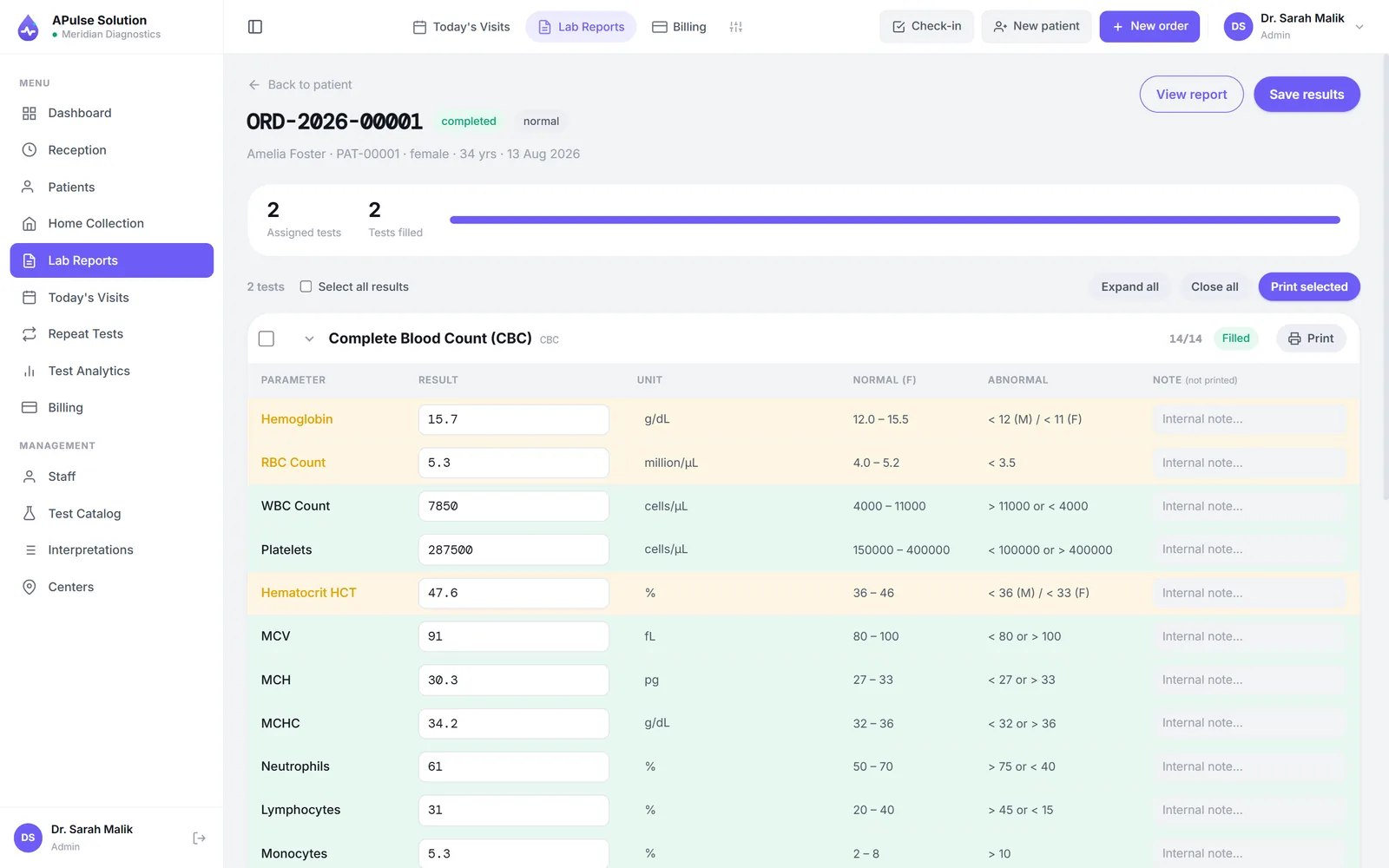
Keep a human review before release, and keep it small enough to survive a busy morning: a second look at the flagged and critical values, recorded as an approval step in the system before the report can be produced. Because entry is manual, this check is the control that matters most — how to reduce manual errors in lab reporting goes into how to design one staff will actually follow.
Step 3 — Report Generation and Delivery
The report is generated from the entered values. No Word template, no copy-paste, no header retyped, and a layout identical on the two-hundredth report of the day and the first.
That last property is worth more commercially than it sounds. Referring doctors read a lot of reports, and the ones they trust at a glance are the ones that always look the same.
Delivery is where the word "automated" gets stretched hardest in sales conversations, so here is ours plainly: the report link goes out automatically on approval only once the lab connects its own WhatsApp Business (Cloud API) or SMS gateway account, on any plan. Without one, a staff member sends it with one tap to the number captured at registration. Ask every vendor the same question — "does the system send it, or do my staff?" — and expect a direct answer. The turnaround gain is real either way: the report exists the moment results are approved, rather than after someone has typed it up.
Step 4 — Extend to Referrals, Stock and Branches
Second-phase work. Get registration, results and billing solid first; a lab that automates inventory before it automates billing has optimised the wrong end.
Referral commissions (Medium+) computed from the doctor recorded on each invoice, with per-doctor share percentages and a printable share report. This replaces a private notebook with a document both sides can read — see how labs calculate doctor referral commissions.
Stock and inventory (Medium and above) for kits, reagents and consumables with batches and expiry dates, so reordering follows usage instead of following the discovery of an empty box.
Multi-branch operation (Premium), with patients, orders and invoices tagged per branch — the one decision worth making early, because separate systems per branch cannot be merged cleanly afterwards.
The plans page sets out which tier holds what.
What You Do Not Need on Day One
Three things that consume evaluation time and rarely earn it at small-lab scale.
Analyser interfacing and HL7 feeds. Genuine capabilities whose cost only pays back at volumes most single labs never reach. Revisit if the lab grows into a network.
A server room. A browser-based system needs a computer, a printer and an internet connection. If a quote requires you to buy a server, that belongs in the price comparison.
A patient portal. At small-lab scale, sharing the PDF is simpler for everyone than maintaining accounts for people who visit twice a year.
A Realistic Rollout Plan
The rollout is where automation projects actually fail, and the failures are predictable.
Enter the full test catalogue and rate list before day one. Half-filled catalogues are the single most common reason a rollout stalls: staff hit a missing test during a queue, fall back to paper for that patient, and the fallback becomes the habit. Our system ships with around 880 common tests as a starting point precisely to shorten this step, but your prices and your ranges still need to go in.
Train reception first. Registration is the front door; if it works, everything downstream has data to work with.
Run in parallel with the registers for a short, fixed period. Compare the cash total against the system total each evening. Set the end date before you start — an open-ended parallel run never ends, and you have two systems forever.
Measure a few things before and after, yourself: time per registration, report turnaround, and minutes spent on end-of-day closing. Your own before-and-after numbers are worth more than any benchmark, and they are the only ones you can trust.
If you want to see the sequence on a screen rather than on paper, the free demo runs for 7 days with up to 10 patients — bring part of your rate list and put a real patient through it.
Frequently Asked Questions
What does laboratory automation mean for a small lab? Workflow automation: registration, billing, reference-range checking, report generation and day-end totals handled by software. It does not require new analysers or a server, and it is where nearly all the recoverable time at small scale sits.
Do I need to interface my analysers to automate my lab? No. Interfacing removes the transcription step and is valuable at high volume, but it is a different class of system at a different price. Structured manual entry against stored reference ranges, with a real verification step, is the normal arrangement at small-lab scale.
What should I automate first? Registration and billing together, because they feed everything downstream and because billing at registration is where leaked revenue is recovered. Results and reporting next. Inventory, referrals and analytics after those are working.
How long does it take to automate a small lab? The software is quick to start; the preparation is the work. Cleaning and entering your test menu, prices and reference ranges is the main task and scales with your menu size. Add a short parallel run with the registers before retiring them.
Will automation reduce my staff? That is usually the wrong expectation. It reduces re-entry, evening reconciliation and report-hunting — which mostly returns hours to the people you already have, and lets the same counter handle more patients without the queue getting worse.
What is the most common mistake when automating? Starting with a half-entered test catalogue. Staff meet a missing test during a busy morning, revert to paper for that patient, and never fully come back. Finish the catalogue before go-live.